User guide
What this app is for
A habit tracker is a place to record something you want to do regularly. For example, you might want to read, go for a walk, or practise an instrument.
Named after the German jeden Tag, "every day" — habits are built day by day.
A habit can be a simple checkmark, such as "went for a walk," or an amount with a target, such as "read 20 pages." You can also choose the days or time period that make sense for that habit.
A habit's goal can point either way. Most habits build something up — reach a target, do it three times a week. A habit can instead keep something down: "no sweets more than twice a week" or "at most 2,000 kcal a day." For those, you only record the days something happened, and a quiet day counts in your favor on its own.
If you are choosing between habit trackers, the comparison table puts every tracker covered here side by side. Drag it horizontally or use its arrow buttons; the verdict icons and short notes explain what each answer covers. Below the table, the pages under "Habit tracking by need" include practical examples for reading, studying, exercise, and reviewing your week, and explain the daily reminder, notes on a day, monthly goals, and how streaks are counted.
Start in three steps
- Try a sample habit. Tap a day to mark it done. The examples are safe to change or delete.
- Press New habit, above the habit names, to create one of your own. Choose a simple checkmark for "did I do it?" or an amount for "how much did I do?"
- Come back when you do the habit and mark the day.
Record your days
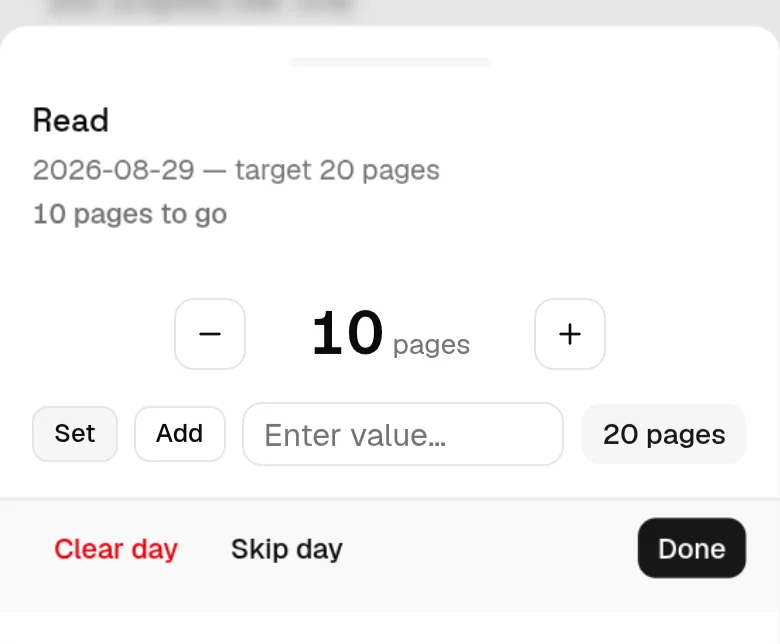
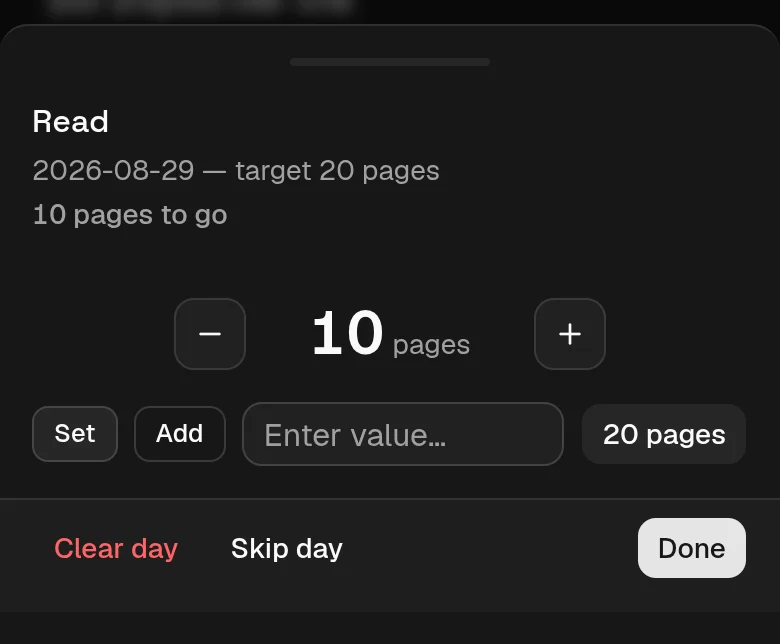
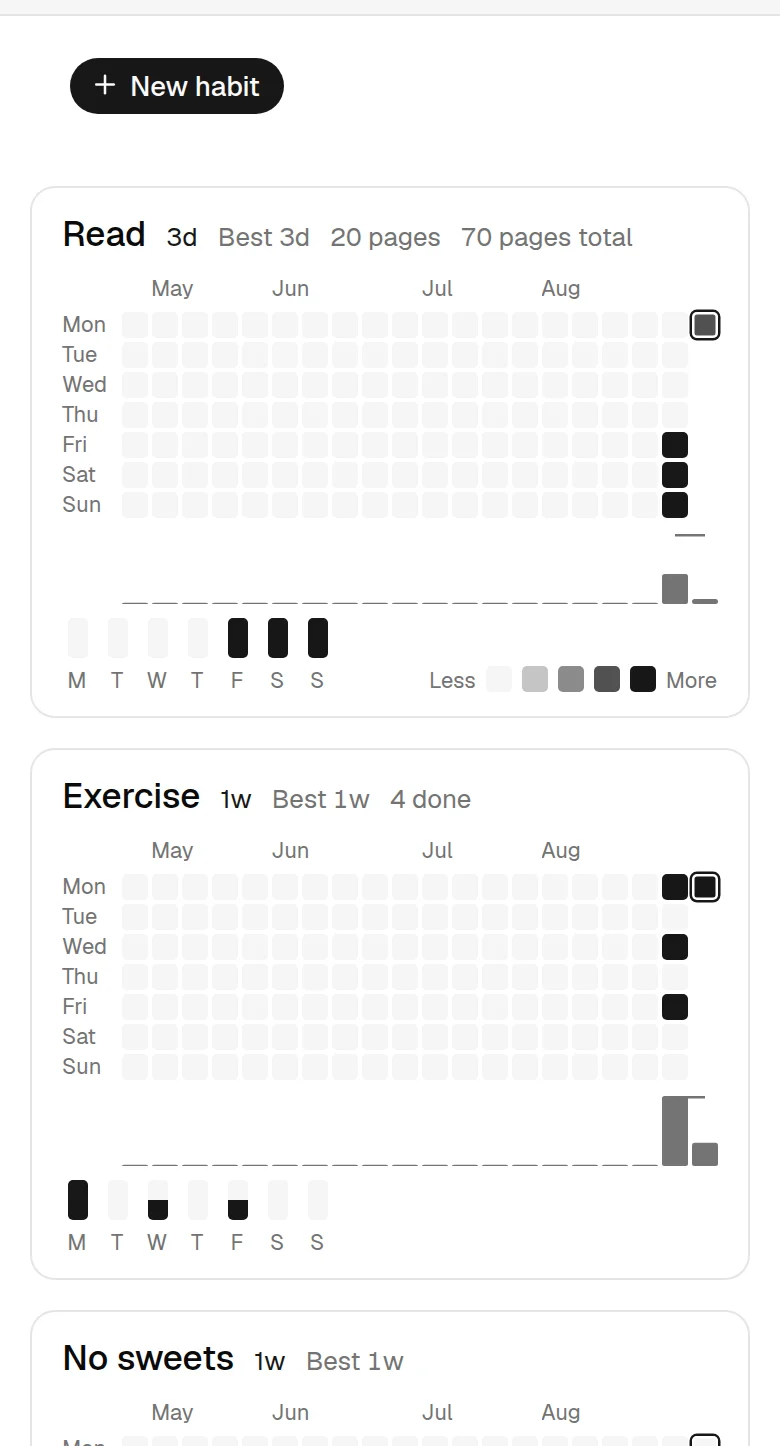
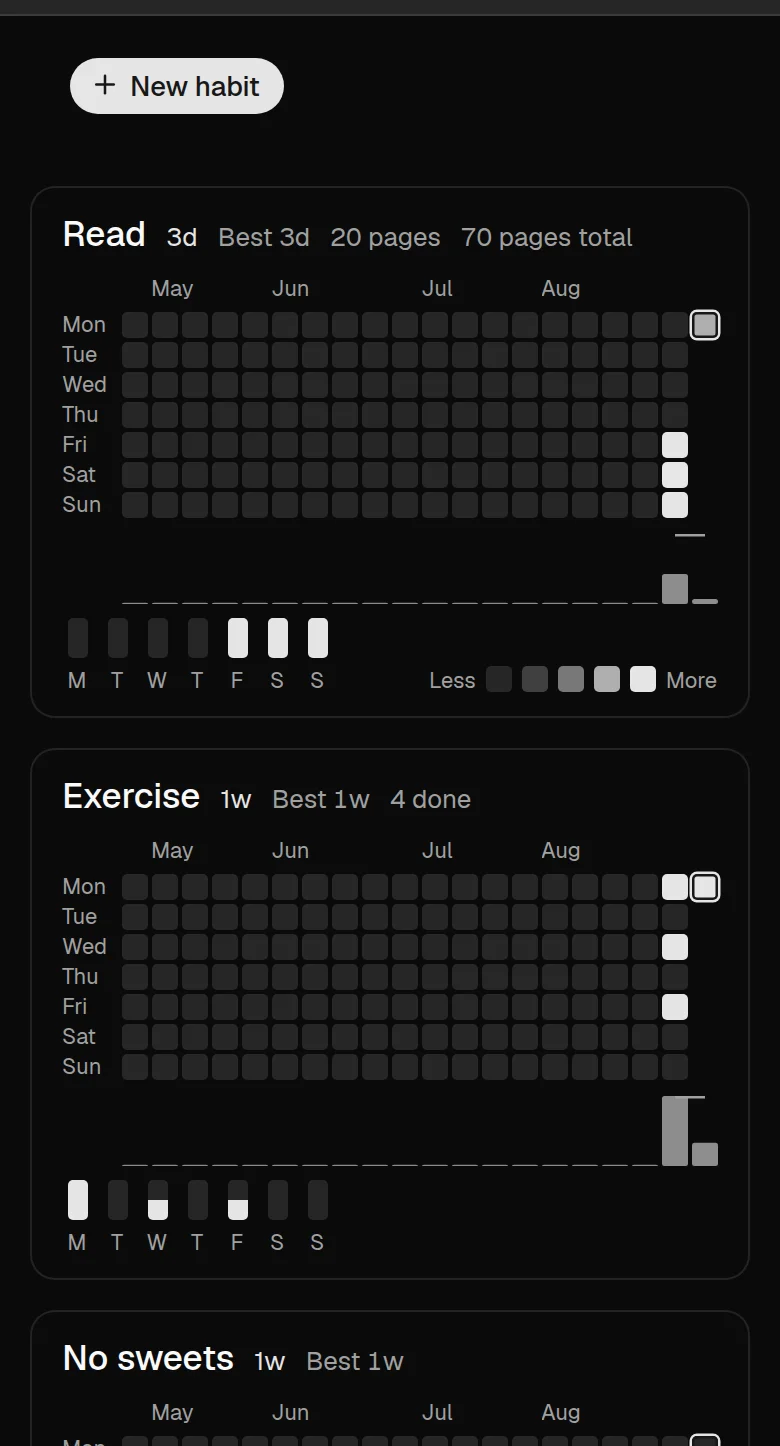
The main screen is a grid. Each row is one habit and each column is one day. Tap a cell to mark that habit done for that day. Tap it again to clear it. For a habit that tracks an amount, tapping opens a small panel where you enter the amount you recorded — type a number to set the day, or switch the field to Add to put an amount on top of what is already there, without doing the sum yourself. The panel says how much is still left — of the day's target, or of the whole week or month for a habit measured across a period — and the figure moves as you tap. For a habit that builds up, the day is done when the amount reaches its target.
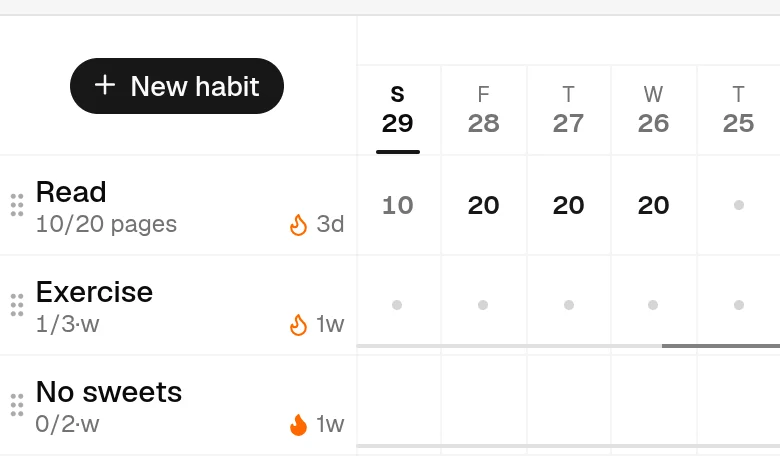
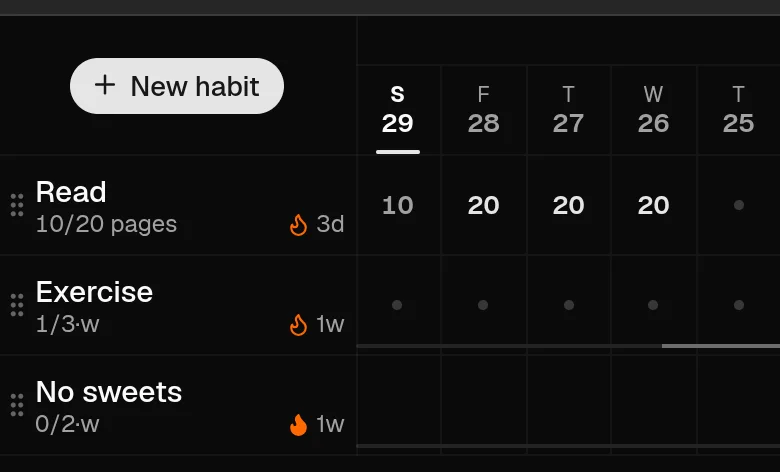
A keep-it-under habit reads the other way around. Tapping a day records that the thing happened — the cell shows an × instead of a checkmark — and days you leave empty are your successes. For an amount with a daily limit, the number stays quiet while you are within the limit and turns red once you go over: staying under is the normal state, so only going over is worth a color. The same is true of the used-up allowance under the habit's name.
Press and hold a cell to open that day's panel. It holds three things: Skip day, which means the day should not count for or against the habit and shows as a dash; Clear day, which removes its mark and note; and a Note. On a habit that tracks an amount the same panel opens with a plain tap, with the amount controls above the note. To look at earlier days — or fill in a day you forgot — swipe the grid sideways. With a mouse, grab the days and drag them the same way, or scroll with a wheel or trackpad; the whole loaded year is there, with today at the left. A soft edge appears beside the habit names once you have moved off today, and disappears when you are back at it.
The note is a short line about the day — up to 280 characters — and it is the one thing here you can write on a day you did not do the habit. A note on its own leaves the day exactly as it was: still missed, still counted as missed, but with the reason beside it. That is what it is for. A broken streak with “flu, all week” on it is a week you were ill; the same gap with nothing on it is just a gap, and a gap is much easier to walk away from. Days carrying a note show a small mark in the corner of the cell, and the note itself appears when you open the day, or when you rest the pointer on that day in the year view.
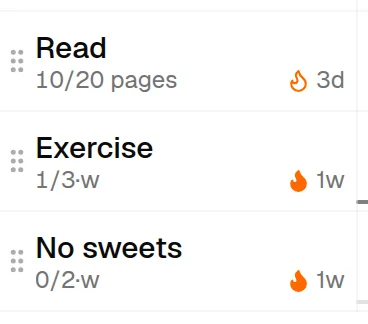
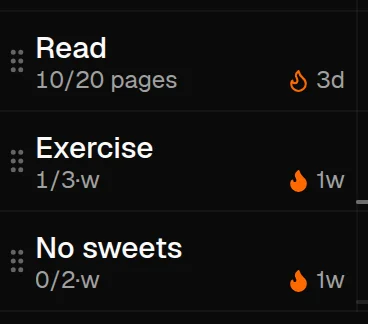
Under each habit's name is a small line saying where that habit stands. On the left is today: a habit that tracks an amount shows what you have recorded so far against its target, such as 1.2/2 L, and a habit you do a set number of times per week or month shows how many of those you have done in the current one, such as 1/3·w. A habit that is both — an amount on a set schedule, such as 20 pages three days a week — shows both readings, the period one first. Both are highlighted once they are met. On a skipped day or a weekday outside the habit's schedule, the zero is left out; if you record something anyway, that amount still appears. On the right, if you have a streak going, a flame and its length. The flame is solid while the streak is safe and hollow when it is one step from breaking — for a habit you are building up, that means only completing today keeps it alive; for a keep-it-under habit it means the allowance is used up, and one more slip would end it. After a streak ends, the line shows your best one instead, as something to chase. The line keeps describing today even while you look back at earlier days. Large amounts are shortened here and in the grid itself — 1000 reads 1k and 1,200,000 reads 1.2M; the exact number is in the panel that opens when you tap the day.
On a computer, resting the pointer on a habit's name — or moving to it with the keyboard — opens a small summary of that habit: its full name however long the column had to cut it short, any note you wrote about it, what it asks for, where the period you are in stands, and your streak, your best one, and how much of the last 30 days you kept to it. A long note is shortened here; the whole of it is on the year view and in the editor. On a phone there is nothing to rest a pointer on, so tapping the name opens that same summary as a panel, with an Edit button at its foot.
Press that Edit button — or, with a mouse, click the habit's name, which opens the editor straight away — to change a habit. You can change its name, description, schedule, or target; move it in the list; archive it; or delete it. To put your habits in the order you want them, drag one by the handle at the left of its name — the column of dots — or, if you are on a keyboard, tab to that handle and use the up and down arrow keys. While the list is sorted by what is due next the handle disappears, because that order is worked out for you rather than set by you; switch the sorting off and your own order comes back exactly as you left it. For an amount habit you can also change which way the goal points and whether the target covers a day or a whole period — your recorded amounts stay exactly as they are, only the judgement of them changes, so "reach 8,000 steps a day" can become "35,000 steps a week" without losing your history. Whether a habit is a checkmark or an amount stays fixed, and so does a checkmark habit's direction: its history is a row of successes, and pointing the goal the other way would reread every one of them as a slip. Create a new habit for that. The pair of buttons in the middle of the header switches between the grid and a year view of each habit, which for a habit you are building up also totals everything the weeks it shows hold — the days done, or the amounts added up. A keep-it-under habit shows no such total; its sum would only count the thing you are avoiding. That view is for looking back, not for recording a day. To the left of it, two more buttons change what the list shows: one sorts your habits by what is due next instead of your own order, the other shows archived habits as well. And at the right, next to the light and dark switch, the large-and-small A draws the whole grid tighter. The grid comes drawn at about the size a browser gives you at 125% — everything in it, the writing included — and that button takes it back down to the compact size, which fits more days across the screen. Whichever size you are at, scrolling the grid sideways reaches the days that do not fit. All three stay set on this device.
Archiving hides a habit but keeps its history. An account can hold up to 20 habits, including archived ones. Delete a habit if you need to make room for another one.
Use the keyboard
The whole app works without a mouse. Press g from anywhere on the habit page to jump straight into the grid, or press Tab once from the top of the page and use the “Skip to habit grid” button that appears.
Inside the grid the arrow keys move between days and habits: ← and → walk along the days — left toward today, right into the past, the direction the days run on screen — and ↑ and ↓ move between habits. Home returns to today and End goes to the oldest day the grid has loaded. Space or Enter marks the day you are on, the same as tapping it.
The grid is a single stop in the tab order rather than one stop per day, so Tab moves on to the rest of the page instead of walking through a year of squares. To reorder your habits, tab to the handle at the left of a habit’s name and use ↑ and ↓ there.
Choose a schedule
A schedule says when you want to do a habit. It helps the app decide whether a day or period was completed. Pick the simplest schedule that matches your goal:
- Every day — for something you want to do daily.
- Every few days — for example, every other day, or every 15th day. You pick the day it starts on — typed into the box, or chosen from the calendar beside it — and exactly those days are due; the days in between are not asked for. (For "once in any 3 days", where any day of the block will do, use a number of times in a period instead.)
- A number of times in a period — for example, 3 times per week. Any three days in that week count. Weeks, months and years follow the calendar; a period of several days starts on the day you created the habit, unless you give it a start date of its own under Starting on. Which day a week starts on is up to you; see Week start and dates below.
- Selected weekdays — for example, Monday, Wednesday, and Friday. Days outside the schedule do not count as missed; recording one is still allowed.
- Selected days of the month — for example, the 1st, or the 1st and the 15th. A month that does not have a chosen day moves it to its last day, so the 31st falls on April 30, and on February 28 or 29. As with weekdays, the other days are not asked for.
- A total amount per period — for an amount habit, the target can apply to a week or month as a whole instead of each day: "35,000 steps per week" adds up everything you record in the week, however it is spread.
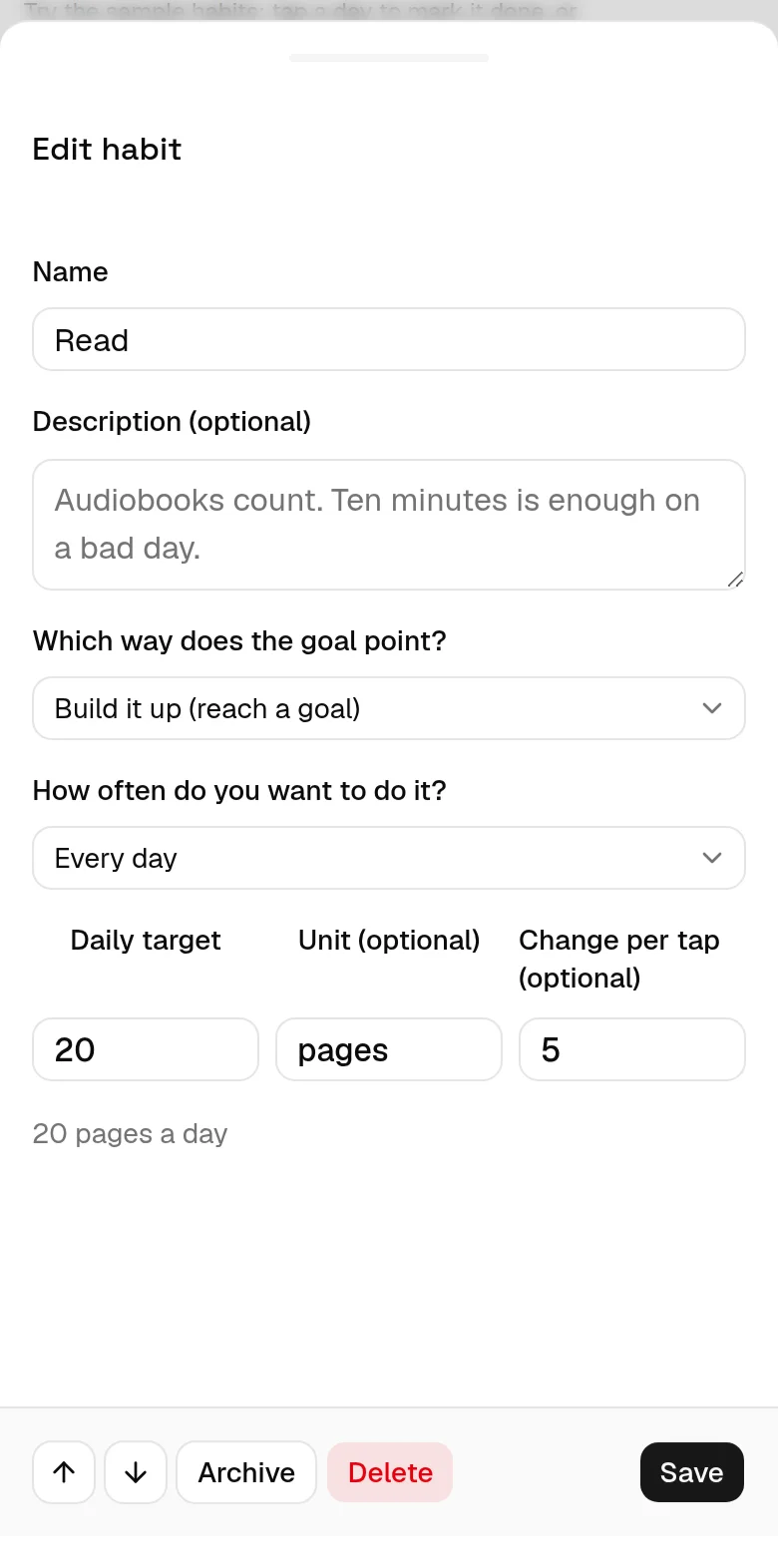
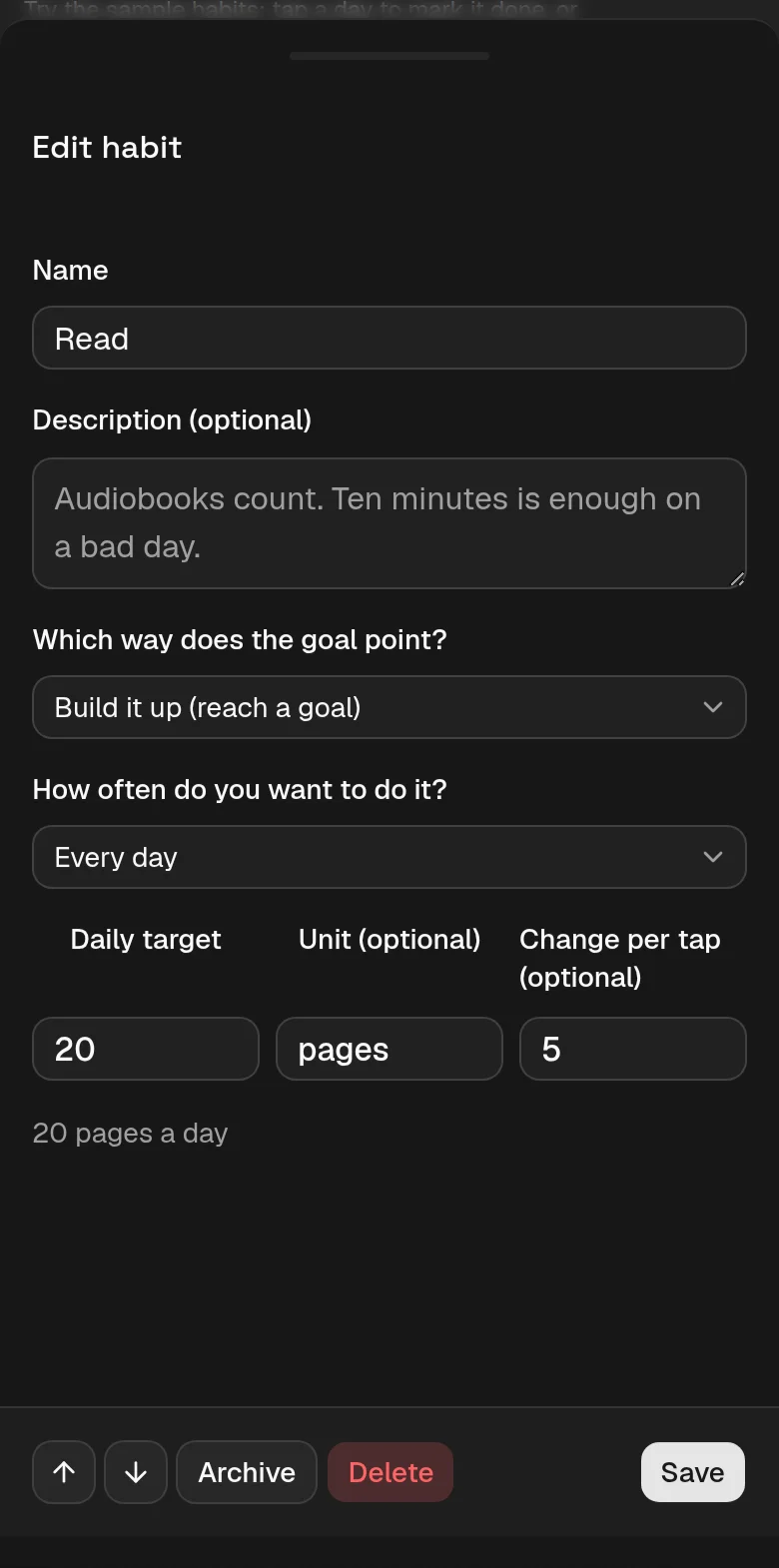
Under the name is a Description box, and it is optional. It is for what the name has no room to say: what counts as doing the habit, why you took it up, or the rule of thumb you settled on — "audiobooks count", "ten minutes is enough on a bad day". Nothing about it is scored; it is a note to yourself, and it appears in the small summary that opens from a habit's name and on that habit's card in the year view. Emptying the box removes the note.
A keep-it-under habit chooses what its limit covers instead: each day ("at most 2,000 kcal a day"), an allowance of days per period ("no more than twice a week" — zero means never), selected weekdays or days of the month ("no beer on weekdays", "no spending on the 1st"), every few days, or a total per period ("at most 3 beers a week"). A schedule that names its days applies the limit to those days and to no others: a checkmark habit is to stay clear on every one of them, an amount habit stays under its daily figure there, and what you record outside the schedule changes nothing either way.
For an amount habit the first two work together, which is how cheat days are set up. The daily limit decides what counts as a day over it, and Allowed days over the limit says how many such days a period may hold: "at most 2,000 kcal a day, but up to two days a week over it." Days under the limit cost nothing, and a day that hits it exactly is still within it. The week holds as long as the days over stay inside the allowance; the next one over loses it straight away.
For a "3 times per week" habit, the line under the row shows the current week and its progress. A number such as 2/3 means you have recorded the habit twice and want to do it three times; for an allowance it means you have used two of its three. When you start partway through a period, the first period is adjusted so it does not ask for — or allow — the full amount.
Understand streaks
A streak is the number of completed days or periods in a row. It follows the schedule you chose, not always the calendar. For selected weekdays, days of the month, and every few days, it counts the scheduled days you completed. For 3 times per week, it counts each week where you reached three entries.
The streak is then written in that schedule's own unit, so the number can be larger than the number of days you recorded. Three completed weeks of a "3 times per week" habit read as 3w. Two completed blocks of a "once per 3 days" habit read as 6d, because each block covers three days; an "every 3 days" habit, which asks for particular days, counts those days one by one.
Today and the current period are still open, so an empty cell does not break a streak yet. A skipped day also does not break it. The app shows your current streak and your best streak for each habit, and the streak number briefly pops when it reaches a milestone — 7, 14, 30 and so on — or beats your previous best.
A keep-it-under habit's streak counts the days or periods you stayed within the limit — it grows on its own as clean days or periods finish. The current one stays open and does not add to the streak yet, so a new habit starts at zero. Going over is decided sooner: the moment an open period exceeds its allowance, that period has failed and the streak resets right away, because more days cannot take the slip back. On a schedule that names its days — selected weekdays, days of the month, every few days — the streak counts the scheduled days you kept within the limit after they finish, and one day over it ends the streak there and then; days outside the schedule are neither counted nor held against you.
Week start and dates
Open the account menu at the top right and choose Calendar… to set which weekday your week starts on and how dates are written. Both start from what your browser reports, so in most cases there is nothing to change.
The week start is not only how the grid is drawn. Habits counted “n times per week” measure their weeks from this day, so changing it changes where one week ends and the next begins — and their streaks and 30-day figures are worked out again against the new weeks. A streak can go up or down as a result. Nothing you have recorded is changed, and switching back restores the previous numbers exactly. Habits on selected weekdays, and monthly or yearly ones, are not affected at all: a habit set to Monday, Wednesday, and Friday stays on those days whichever day your week opens on.
The date format changes only the order of the numbers in a date — 31.12.2026, 12/31/2026 or 2026-12-31 — and it applies wherever the app writes one out, including the start date a schedule counts its days from. It is also the order the start-date boxes in the habit panel are read and typed in: each shows the date the way you chose it and accepts it back the same way, and is happy with a single digit or a different separator (1.9.2026 as well as 01.09.2026). The calendar button beside the box opens a month you can click or arrow through, and it opens its weeks on your week start. Month and weekday names are always in English; this is a format setting, not a language setting, and the app is not translated.
Signed in, both settings are stored with your account and follow you to every device. The week start follows your habits themselves, so a connected agent counts your weeks the same way this screen does; the date format is this app’s own way of writing a date, and an agent always reads and writes dates as 2026-12-31. Signed out, both are remembered in this browser only.
Daily reminders
Signed in, the app can send you one notification a day listing the habits that are due and that you have not recorded yet. Open the account menu and choose Reminders…. If everything due is already done, nothing is sent.
There is nothing to schedule: each habit is already on a schedule, and that is the one the reminder follows. A habit set to Monday, Wednesday and Friday is named on those days; one counted “three times a week” is named while that week is still short. Marking a day done — or marking it skipped, which is your way of saying “not today” — takes it off the list. A habit you are trying to avoid is never named at all: there a good day is one with no entry, so there would be nothing to remind you of.
You choose two things: the time of day, and your time zone, which starts from what your browser reports and keeps following it if you travel — pick one by hand and it stays where you put it. Everything else is per device or per habit. Turn reminders on for each device you want them on; the dialog lists the ones that are on and lets you switch any of them off, and turning off the last one turns reminders off altogether. A single habit can be left out from its own panel, with Include in daily reminder.
The first time you turn a device on, your browser asks whether this site may show you notifications. On an iPhone or iPad this works only from the app added to your Home Screen — open the share menu, choose Add to Home Screen, and turn reminders on from there. Send a test in the dialog shows you what one looks like.
Guest data and accounts
You can use the app without an account. In guest mode, the sample habits and anything you add are stored only in this browser on this device. They are not sent to the server.
Clearing browser data, using private browsing, or browser storage cleanup can permanently delete guest habits. Sign in to keep them in an account that syncs between devices.
An account syncs your habits between devices and lets you export a copy of your data. Sign in with your email, then open the link or enter the code you receive. If you have guest habits, the app asks whether you want to add them to the account; it never moves them without asking.
After you have signed in once, you can add a passkey. A passkey uses your device's fingerprint, face, or PIN for future sign-ins. From the account menu, you can export your habits and history, change your email, sign out other sessions, or delete your account. Details are in the Privacy Policy.
You can also use Google, GitHub, Apple, or Microsoft when its button appears on the sign-in screen. Choose a provider straight away. If it can create your account, agree to the terms on your return and press Continue. If your email already has an account or the provider cannot confirm your address, you go directly to email or passkey confirmation, followed by a button to connect the provider. Matching email addresses alone never connect accounts. Enter the emailed code in the same browser. Microsoft supports both personal and work or school accounts, subject to your organization's policies.
Apple's Hide My Email works too; a new relay address creates a separate account. To reach habits you already track under another address, sign in with that address or its passkey. Once connected, later provider sign-ins return to the same account without another consent checkbox, even if your email changes. Guest habits still move only when you approve their import. Provider connections appear in your data export; account-menu connection management is not yet available. Deleting your account removes its sign-in connections here. To remove the provider's authorization as well, use that provider's account settings.
Connect an AI agent
An account can let an AI assistant read and update its habits — for example, telling Claude "log today's run" or asking it how a habit is going. jeden.day speaks MCP, the open protocol these assistants use to connect to other apps.
To connect one, add https://jeden.day/mcp as a connector (sometimes called an MCP server) in the assistant's settings. It will open a jeden.day page asking you to approve the connection.
A connected app has full access to that account's habits: it can read, add, change and delete them. The account menu's Connections entry lists every connection — agents and the personal tokens described next — with when you approved it and when it was last used, and removes one immediately: the app loses access with its next request. Your data export lists them too, so a downloaded copy shows what had access to the account at the moment you took it.
What a connected app cannot do is act on the account itself: it cannot change your email address, add or remove passkeys, manage connections, or delete the account. Those need you, signed in here.
Use the API from a script
Every screen of this app talks to a small REST API, and a personal token opens the same API to your own scripts, shortcuts and automations. Open Connections in the account menu, give the token a name that says where it will live ("Home Assistant", "morning shortcut") and create it. The token is shown exactly once — copy it then. It works for a year, appears in the list beside your connected apps, and a Revoke there shuts it off immediately. Any app that speaks MCP or OAuth gets the same access through the approval screen instead.
Send the token as a bearer header on every request. Dates are always your calendar dates: the server never guesses what today is, so a script passes its own local date wherever a route asks for today.
# The token from Connections, and your local calendar date — never the server's
TOKEN=habits_at_...
TODAY=$(date +%F)

# Who am I, and the account's calendar settings
curl -H "Authorization: Bearer $TOKEN" https://jeden.day/api/auth/me

# Habits, entries and scores for a date range (end doubles as today)
curl -H "Authorization: Bearer $TOKEN" \
  "https://jeden.day/api/grid?start=2026-09-01&end=$TODAY"

# Mark a day done (value), off (skipped) or annotate it (note); DELETE clears it
curl -X PUT -H "Authorization: Bearer $TOKEN" \
  -H "Content-Type: application/json" -d '{"value": 1, "note": "5 km"}' \
  "https://jeden.day/api/habits/12/entries/$TODAY?start=2026-09-01&today=$TODAY"

# Create, change and delete habits; PATCH takes any subset of the fields
curl -X POST -H "Authorization: Bearer $TOKEN" \
  -H "Content-Type: application/json" -d '{"name": "Run", "type": "boolean",
      "frequency": {"kind": "times_per", "times": 3, "count": 1, "unit": "week"}}' \
  "https://jeden.day/api/habits?today=$TODAY"

# Everything the account holds, as the same file Export data downloads
curl -H "Authorization: Bearer $TOKEN" https://jeden.day/api/export
The grid response carries each habit's schedule, score and periods; the entry route answers with the habit's recomputed score, so a script never has to compute streaks itself. The habit body is the one the app's own dialog sends — a measurable habit adds target and optionally unit, an avoidance habit sets goal_direction to at_most. The export document is the reference for every field. A token holds the same access as a connected agent, and the same limits: nothing about the account itself. It is also a valid token for the MCP connector, for tools that take a bearer header instead of walking the approval flow.
Send feedback
Open Feedback from the account menu to ask for a feature or report a bug. Give it a short title and a few concrete sentences.
You can withdraw a post or remove a comment of your own at any time — open the post and use the bin button.
Your posts and comments are signed with the display name from your account, or Anonymous if you have not set one — set or change it under Display name in the account menu. Your email address is never shown to anyone else on the board; only the maintainer can see which account wrote what. Replies from the maintainer carry a Maintainer badge that no display name can imitate. Everything you post is part of your data export, and deleting your account removes your posts, comments and votes with it.
Questions
Do I need an account to track habits?
No. Guest mode works without an account and keeps your data in this browser. An account adds syncing between devices and a copy you can export.
What does it cost?
jeden.day is currently free to use. Paid features may be added in the future.
How do flexible schedules like “3 times per week” work?
Any three days in the week count: three days early in the week count the same as three spread across it. The week runs from whichever day you have set as your week start, so that setting decides where one week ends and the next begins. The number by the habit and the line under its row show your progress.
Does missing one day break my streak?
Only when the schedule asked for that day or period and it has finished. Today never breaks a streak while it is still open. A skipped day and a day outside a schedule that names its days — selected weekdays, days of the month, every few days — do not break it either.
What is a measurable habit?
It is a habit with a number and a target, such as read 20 pages, walk 8,000 steps, or practise for 30 minutes. You enter the amount for a day. With a daily target, that day is done when it reaches the target; with a target per week or month, everything you record in that period is added up against it. A target can also be a limit — at most 2,000 kcal a day — and then staying under it is what counts. The unit (pages, steps, kcal) is optional: it only labels the number, so a habit that counts bare reps can leave it empty, and clearing it on an existing habit removes it.
How do I track something I want to avoid?
Create the habit with Keep it under as its goal. Only record the days it happened — tap the day, or enter the amount — and leave the other days empty; they count for you automatically. You can allow yourself some room, such as sweets at most twice a week, or set the allowance to zero for "never." If the thing is only off-limits on certain days, pick On selected weekdays or On selected days of the month instead: those days are to stay clear and the rest are yours. With an amount habit the room can sit above a daily limit instead — "at most 2,000 kcal a day, but up to two days a week over it" — by choosing Allowed days over the limit and allowing two.
What happens if I archive a habit?
It is hidden from the main grid, but its history stays in your account. Archived habits still count toward the 20-habit limit.
Can I get my data out again?
Yes. The account menu can download one file containing your habits and full history. You can import that file again later.
What are passkeys, and should I add one?
A passkey is a sign-in method stored on your device. It uses the fingerprint, face, or PIN you already use to unlock that device. Add one after signing in if you want a faster way to return; email sign-in still works.
Passkeys belong to the device that holds them, so add one on each device you use. Adding a passkey needs a recent sign-in: if your session on that device is older than fifteen minutes, the app asks you to confirm it's you first — with the passkey already on that device, or, on a device that has none yet, with a link it sends to your inbox.
What is jeden.day built on?
A small Python backend, one SQLite file, and a React frontend standing on a lot of open-source work by other people. The Third-party notices page names every component that ships to your browser and carries its license text.